Assign a Profile to an object
When creating or updating an object, reference a Profile by HFID. The object inherits the Profile's values for any attributes you don't set explicitly.
Prerequisites
- An existing Profile (see Create a Profile)
- Permission to create or update the target object on its branch
Assign on object creation
- Web interface
- GraphQL
- Navigate to the object list for your node kind
- Click Add <Kind>
- In the Profile field, select the Profile by name
note
When you select the Profile, attribute fields are automatically populated with the Profile's values.
- Fill in any required fields that the Profile does not set (such as
name) - Click Save
Pass the Profile's HFID in the profiles array:
mutation {
  <Kind>Create(
    data: {
      name: { value: "<object-name>" }
      profiles: [{ hfid: ["<profile-name>"] }]
    }
  ) {
    ok
    object { id }
  }
}
The new object inherits all Profile-defined values that you didn't set explicitly.
Inspect what the object inherited
- Web interface
- GraphQL
- Open the object you created
- Click the info icon next to any attribute to view its metadata
success
You should see that the attribute value is inherited from the Profile.
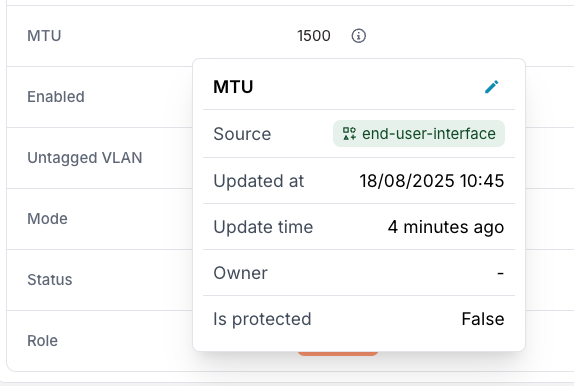
Query the is_from_profile and source metadata to confirm which values came from the Profile and which were set directly:
query {
  <Kind>(name__value: "<object-name>") {
    edges {
      node {
        <attribute> {
          value
          is_from_profile
          source { hfid display_label }
        }
      }
    }
  }
}
is_from_profile: true indicates the value was inherited; source identifies which Profile provided it.
See Priority and inheritance for the full resolution logic.
Next
- Override specific Profile values when an object needs to differ for one or more attributes
- Use multiple Profiles to combine multiple sets of Profile values on one object