Allocate numbers
Number pools (CoreNumberPool) automatically assign sequential numbers to numeric attributes.
Prerequisites
- A running Infrahub instance
Schema used in this guide
The examples on this page use the following schema node. Adapt the type names to match your own schema.
nodes:
  - name: VLAN
    namespace: Ipam
    attributes:
      - name: name
        kind: Text
        unique: true
      - name: vlan_id
        kind: Number
Step 1: Create a number pool
Create a pool for VLAN IDs:
- Web interface
- GraphQL
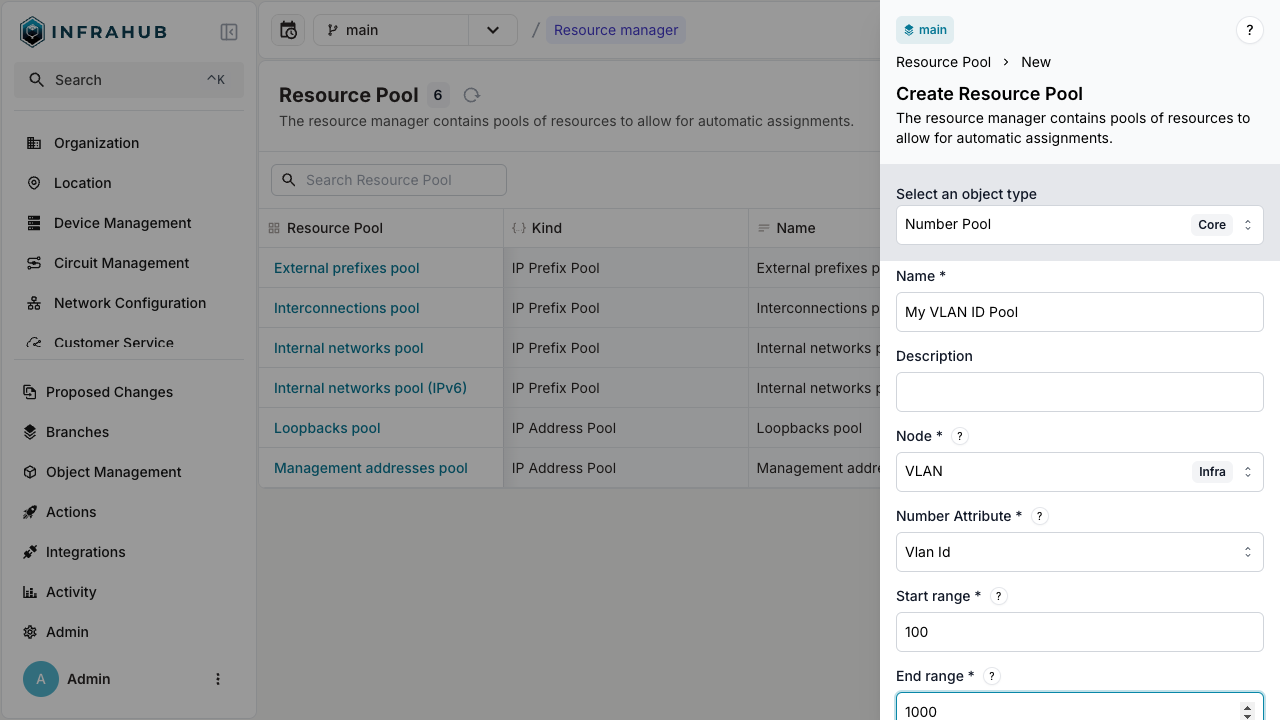
Navigate to Object Management → Resource Manager and create a new Number Pool with:
- Name:
My VLAN ID Pool - Node:
IpamVLAN - Node attribute:
vlan_id - Start range:
100 - End range:
1000
mutation {
  CoreNumberPoolCreate(
    data: {
      name: {value: "My VLAN ID Pool"}
      node: {value: "IpamVLAN"}
      node_attribute: {value: "vlan_id"}
      start_range: {value: 100}
      end_range: {value: 1000}
    }
  ) {
    ok
    object {
      hfid
      id
    }
  }
}
important
Save the pool ID for allocation operations!
Step 2: Allocate a VLAN ID
- Web interface
- GraphQL
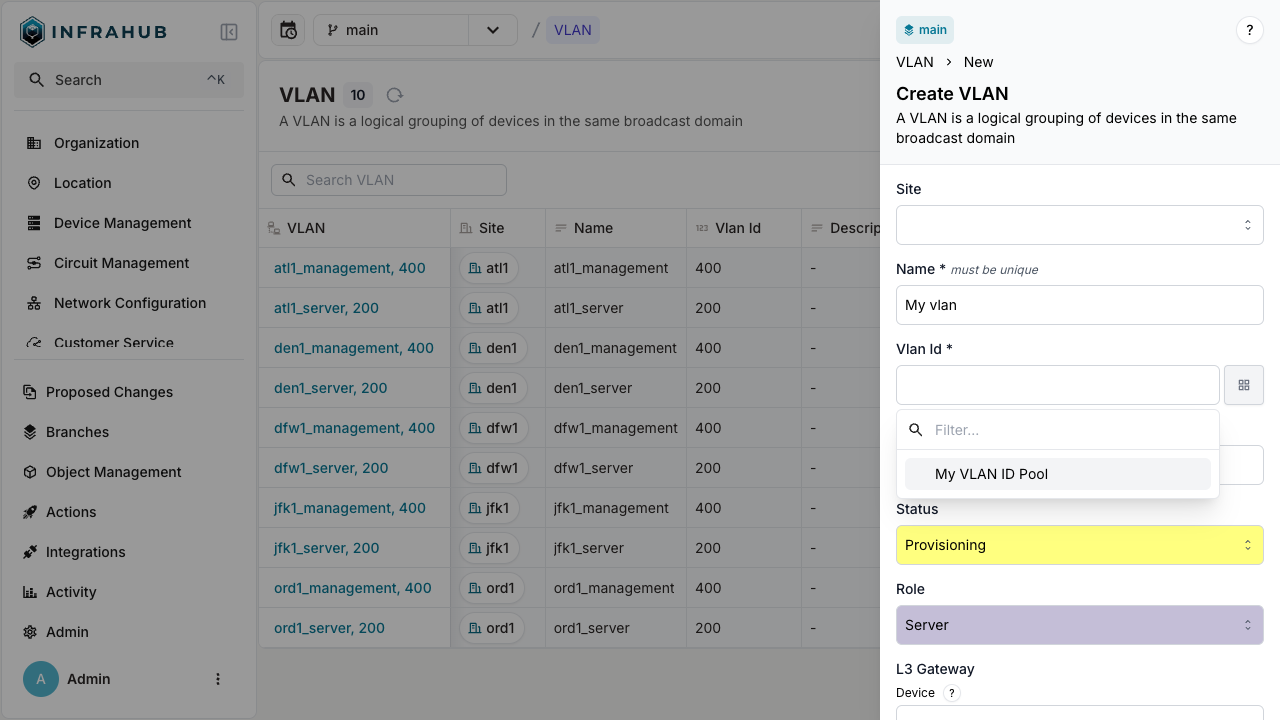
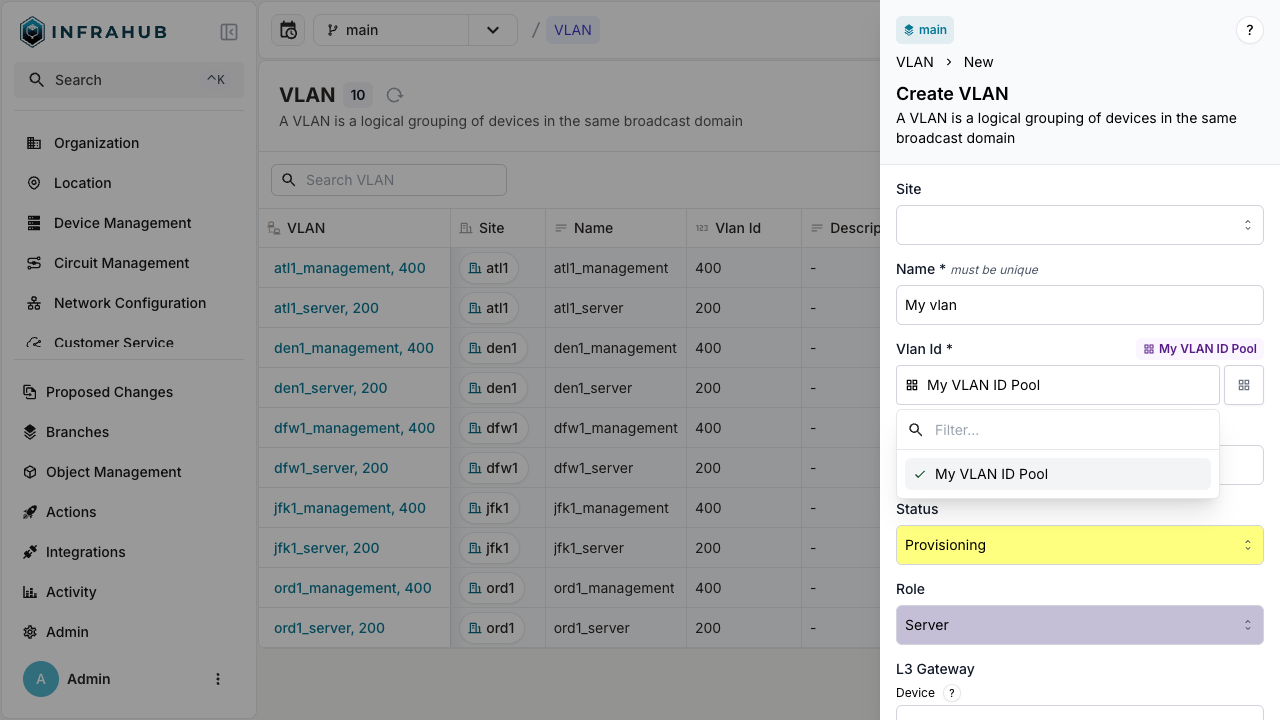
Navigate to VLAN → Add VLAN. Next to the VLAN ID field, click the pool button, labeled "select a pool", and choose your number pool.
mutation {
  IpamVLANCreate(
    data: {
      name: {value: "My vlan"}
      vlan_id: {from_pool: {id: "<POOL-ID>"}}
    }
  ) {
    ok
    object {
      name {
        value
      }
      vlan_id {
        value
      }
      id
    }
  }
}
success
The VLAN is created with VLAN ID allocated from the pool!