Trace a path
Use Path mode to find the paths between two objects in your infrastructure graph. By default it returns the shortest path through each intermediate object, ordered shortest first with the hop count for each route.
Prerequisites
- You need view permission on the object kinds along the path. Kinds you cannot view are excluded from results automatically.
Find paths between two objects
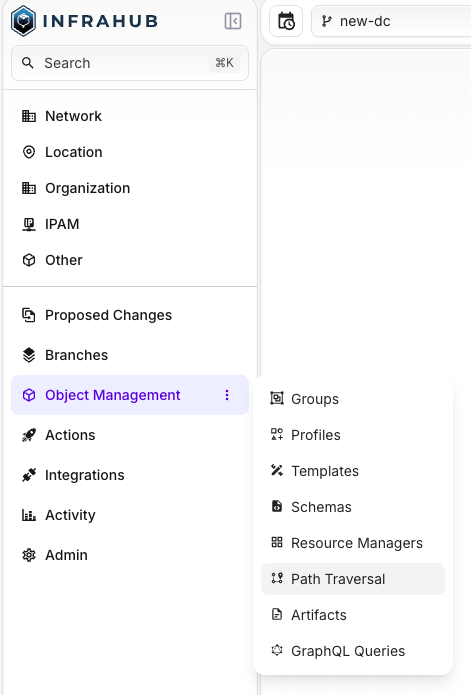
From the left navigation, open Object Management and select Path Traversal.
- Select the Path tab if it is not already active.
- In Source Object, search for and select the starting object.
- In Destination Object, search for and select the ending object.
- To swap source and destination, select ⇅ Swap.
- Optionally, expand Search options to adjust:
- Max Depth — maximum hops to traverse (default: 5, max: 30).
- Max Paths — maximum paths to return (default: 10, max: 100).
- Kinds to include — limit traversal to objects of these kinds only.
- Kinds to exclude — skip objects of these kinds during traversal.
- Shortest paths only — when selected (default), returns only the shortest path through each intermediate object. Clear it to return all loopless paths within the max depth.
- Select Find Paths.
Read the results
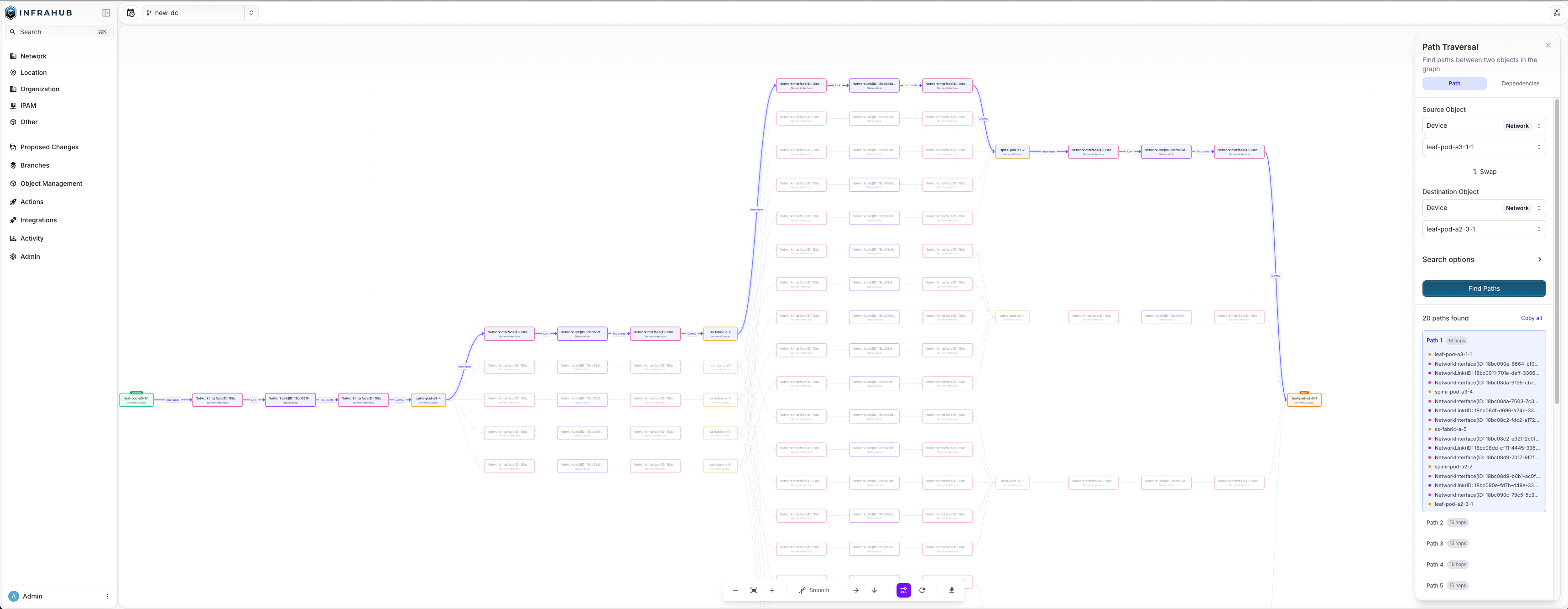
The sidebar shows the number of paths found. Each path includes its hop count and the sequence of objects from source to destination.
If the search runs out of time before exploring the whole graph, the sidebar shows a warning with the depth at which it stopped. Paths shorter than that depth are complete, but longer ones may be missing — narrow the search with Kinds to include or Kinds to exclude to reach deeper.
Select a path to highlight it in the graph. To explore from the graph:
- Right-click any node to access:
- Open details — open the object's detail page.
- Set as source — use this node as the new source.
- Set as destination — use this node as the new destination.
- Copy ID — copy the node's UUID to the clipboard.
- Exclude
<kind>— remove all objects of this kind from the current results.
Use the toolbar at the bottom to zoom, change the layout or edge style, reload, or export the graph.
Start from an object's detail page
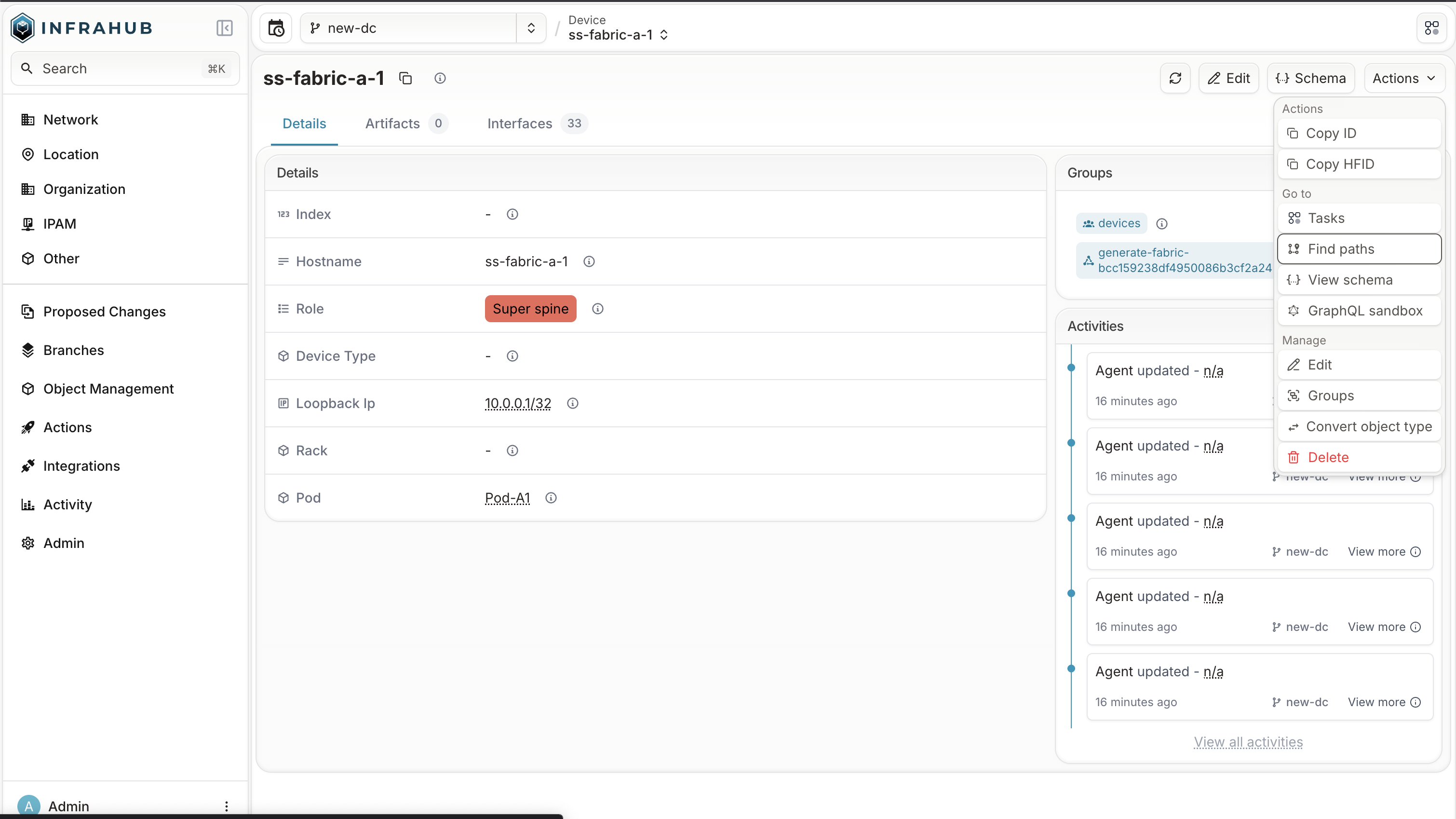
On any object's detail page, select Find paths from the Actions menu. Path Traversal opens with that object pre-selected as the source.
Troubleshooting
No paths found — the two objects may not be connected within the current max depth. Try increasing Max Depth, or check that neither object kind is excluded.
Search stopped early — if the search runs out of time, it returns the paths found so far and warns about the depth at which it stopped, rather than failing. Reduce Max Depth or Max Paths, or use Kinds to include/Kinds to exclude to narrow the search space and reach deeper paths.
Source and destination must be different — select two distinct objects.