Review and stamp
The review process gives team members structured ways to evaluate a proposed change, comment on specific elements, and ultimately stamp it as approved or rejected.
Review mechanics
Multiple reviewers can be assigned to a given proposed change. During the review process, participants have multiple ways to engage with the proposed change:
- Inline comments: Reviewers can comment directly on specific elements of the changes, creating focused discussions about particular modifications.
- General feedback: Team members can provide overall commentary on the proposed change.
- Threaded discussions: Comments support threaded replies, enabling detailed conversations about implementation choices.
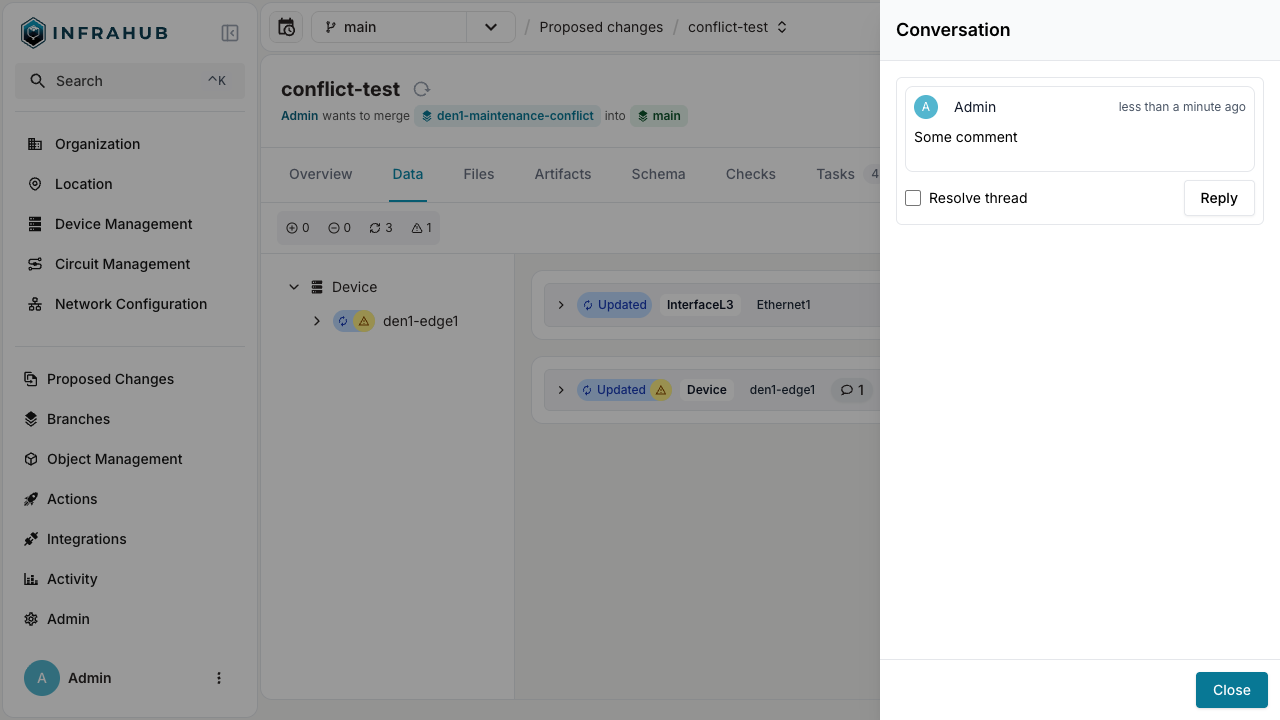
This collaborative environment promotes knowledge sharing and improves the overall quality of infrastructure changes through peer review.
Stamping a proposed change
At the end of the review process, reviewers can "stamp" the proposed change to indicate their approval or rejection.
- Approve: Indicates that the reviewer is satisfied with the changes and believes they are ready to be merged.
- Reject: Indicates that the reviewer has identified issues or concerns with the proposed change that need to be addressed before it can be merged.
Advanced approval workflows Enterprise Edition
Enterprise customers benefit from enhanced approval capabilities designed for complex organizations with strict governance requirements:
- Enforced approval gates: Prevent merging without the required number of approvals.
- Approval thresholds: Configure minimum number of approvals needed before a change can be merged.
- Auto-revocation: Automatically revoke approvals when changes are made after initial approval.
For an organizational walkthrough of setting up multi-stage approval, see the Change Approval Workflow guide.
Related
- Proposed Changes — overview and concepts
- Lifecycle and state transitions — how a stamped change transitions to merged
- Resolve a proposed-change conflict — when conflicts must be resolved before approval