Run a sync
Learn how to use Infrahub Sync's commands to calculate differences, synchronize data, and apply previously cached plans against your destination.
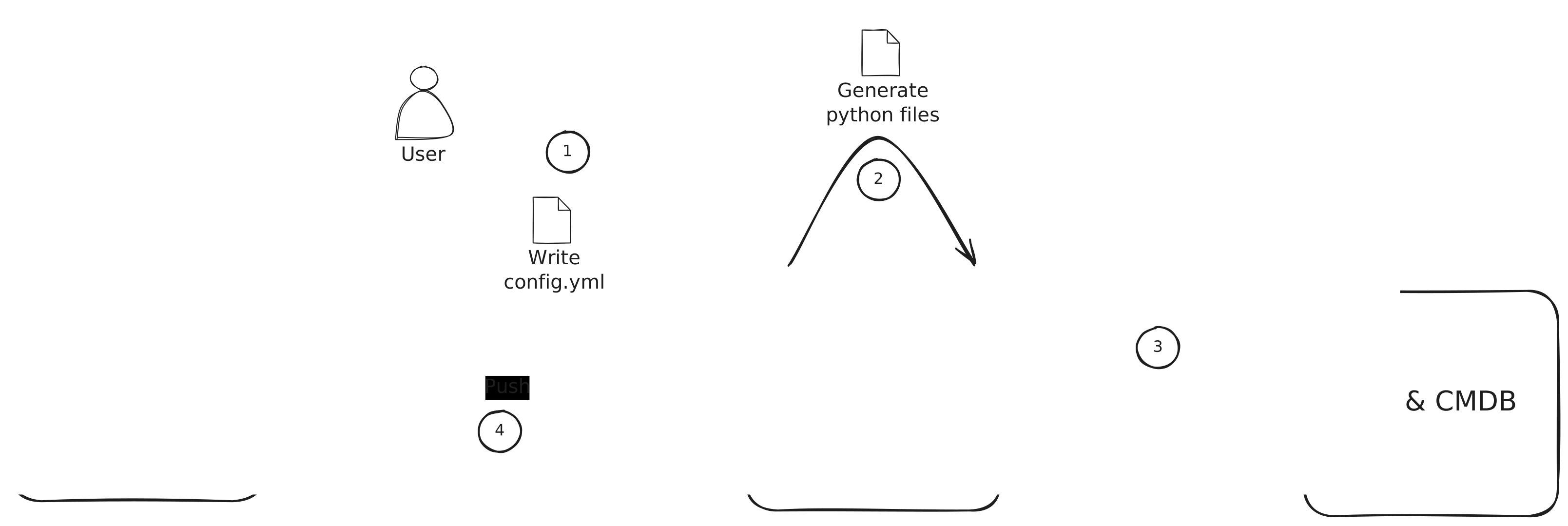
Before generating the necessary Python code for your sync adapters and models and synchronizing, you need to create a configuration. To create a new configuration, please refer to Create a sync project.
Listing available sync projects
infrahub-sync list --directory <your_configuration_directory>
Prints every sync project found under the given directory along with its source, destination, and on-disk location. Useful as a quick sanity check.
Calculating differences
The diff command compares the source and destination without writing anything to the destination. It also writes a Parquet plan to the local cache so you can review the change set and replay it later with apply.
Command
infrahub-sync diff --name <sync_project_name> --directory <your_configuration_directory>
Parameters
--name— name of the sync project to diff.--directory— directory holding your sync configuration.--branch— Infrahub branch to diff against (defaultmain).--show-progress / --no-show-progress— toggle the per-resource progress bar.--run-id— re-use a specific cache run id; useful when you want to overwrite a previous run's plan in place.--concurrent-load / --no-concurrent-load— load source and destination concurrently (default on). Disable if a custom adapter isn't thread-safe; see Concurrent loads below.--full-extract / --no-full-extract— default on; re-extract everything every run. Pass--no-full-extractto enable the cursor-driven incremental warm path. See Incremental extraction.
Each invocation logs a Cached run <run_id> at <run_dir> line on success. Note that id — you can hand it to apply to dispatch the plan without re-extracting the source.
Synchronizing data
The sync command runs diff and immediately applies the changes to the destination.
Command
infrahub-sync sync --name <sync_project_name> --directory <your_configuration_directory>
Parameters
--name— name of the sync project to run.--directory— directory holding your sync configuration.--branch— Infrahub branch to sync against (defaultmain).--diff / --no-diff— print the diff before syncing (default on).--show-progress / --no-show-progress— progress bar during sync.--parallel / --no-parallel— run tier-by-tier using the auto-computed dep graph (default on). Requiresorder:to be omitted fromconfig.yml(see Auto-tiered execution). Falls back to serial whenorder:is set; a warning is logged so the no-op is visible.--allow-rowcount-drop / --no-allow-rowcount-drop— bypass the rowcount guardrail. Use only when you know the source intentionally shrank — otherwise sync refuses to proceed when any resource's row count has dropped by more than 50% since the last successful run.--continue-on-error / --no-continue-on-error— log and skip peer relationships whose identifier values are missing, instead of aborting the run. Useful when source data is partial; review the warnings before relying on the result.--concurrent-load / --no-concurrent-load— load source and destination concurrently (default on). See Concurrent loads below.--full-extract / --no-full-extract— default on. Pass--no-full-extractfor the cursor-driven incremental warm path; see Incremental extraction.
Example:
infrahub-sync sync --name my_project --directory configs --diff --show-progress
Concurrent loads
Source and destination loads run on a 2-thread pool by default. They hit independent services, write to independent in-memory stores, and write to disjoint cache subdirectories (A/ vs B/), so the two loads are safe to run in parallel — and roughly halve the wall-clock time spent in the load phase on real APIs.
Disable with --no-concurrent-load if a custom adapter you've plugged in isn't thread-safe (most aren't an issue — the built-in NetBox, Nautobot, and Infrahub adapters are all fine).
Tier-by-tier execution
When --parallel is set and order: is omitted, Infrahub Sync derives a write-order graph from the reference: entries in your schema_mapping and groups kinds into tiers. The engine narrows the destination's working set to one tier at a time, so no tier starts until every kind in the previous tier has finished writing. See Auto-tiered execution for the full rationale.
Rowcount guardrail
After a successful sync, Infrahub Sync writes a per-resource baseline to .infrahub-sync-cache/<sync>/last-successful-rowcounts.json. The next run reads it; if any resource has shrunk by more than 50% the sync refuses to proceed unless you pass --allow-rowcount-drop. The threshold catches accidents like a partially-restored source or a credential that lost permissions, where syncing would otherwise wipe legitimate data on the destination.
Reviewing and applying a cached plan
The cache pattern lets you split a run into two steps: produce a plan (diff), then apply it (apply). This is useful when you want a human approval gate, when the destination is briefly unreachable, or when you want to re-apply the same plan without re-fetching the source.
# 1. Dry-run — extracts source + destination, writes plan.parquet
infrahub-sync diff --name from-netbox --directory examples/

# Look at the logged line:
#   INFO | infrahub_sync.cli | Cached run 20260518T1430-abc12345 at .infrahub-sync-cache/from-netbox/20260518T1430-abc12345
#
# Inspect the diff or query the parquet directly with DuckDB:
#   duckdb -c "SELECT * FROM read_parquet('.infrahub-sync-cache/from-netbox/20260518T1430-abc12345/plan.parquet')"

# 2. Apply the cached plan — no source extraction
infrahub-sync apply --name from-netbox --run-id 20260518T1430-abc12345 --directory examples/
apply refuses to proceed if the destination's schema shape has drifted since the plan was built — the cached schema-sub-hash.txt must match the freshly-computed hash. When it doesn't, re-run diff to rebuild the plan.
For the full on-disk layout (per-resource Parquet snapshots, sidecar JSON files, the per-pipeline filelock), see the Cache layout reference.
Generating sync adapters and models
infrahub-sync generate reads your configuration file and emits Python code for the sync adapters and models used at runtime.
infrahub-sync generate --name <sync_project_name> --directory <your_configuration_directory>
You typically only run this once per configuration (and after editing config.yml).